Breaking Down the 5 Core Edits Every AI Real Estate Photo Editing Pipeline Must Handle Correctly

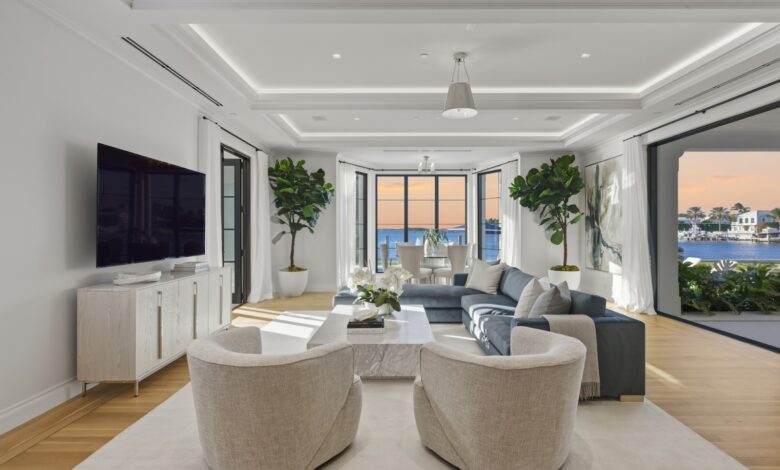
Most people associate AI real estate photo editing with dramatic visual changes. In practice, the opposite is true. A listing photo doesn’t need to look different, it needs to look correct.
When real estate photos fail, it’s rarely because effects are missing. It’s usually because foundational corrections weren’t handled properly. Even when viewers can’t explain the issue, they sense that something feels off.

Consistent results in AI real estate photo editing come from following a defined pipeline. Skip one step, and the image loses balance. Below are the five core edits that determine whether a photo is truly listing-ready, no trends, no stylistic opinions, just the fundamentals.
Why a Defined Editing Pipeline Matters
Before reaching buyers, listing photos are compressed, resized, and displayed across different devices. Each step exaggerates small errors in exposure, color, and structure.
This is why a structured AI real estate photo editing pipeline matters more than creative flexibility. Without a clear order of operations, inconsistencies multiply and become visible across an entire listing.
Most professional workflows prioritize accuracy first. Add-ons come later.
1. Sky Placement: Fixing Exposure Without Faking the Scene
Sky placement is not about making a photo dramatic. It’s about restoring exposure balance.
Exterior images often suffer from blown-out skies or dull, flat backgrounds. A reliable AI real estate photo editing process replaces the sky while matching brightness, direction of light, and color temperature.
What matters most:
- Matching sky brightness to building exposure
- Preserving roof edges and fine details
- Avoiding oversaturated or artificial colors
When sky placement is done correctly, it doesn’t draw attention to itself.
2. Window Masking: Balancing Interior and Exterior Light
Window masking is one of the most technically demanding parts of real estate photo editing. Cameras cannot naturally handle bright exteriors and dark interiors in the same frame.
AI real estate photo editing must treat window masking as a precision task, not a global brightness adjustment. The goal is balance, not uniform brightness.
Effective window masking delivers:
- Clear exterior views
- Even interior light
- No halos or color shifts around frames
This step has nothing to do with file sorting or workflow organization. It is strictly about correct exposure merging.
3. White Balance: Keeping Colors Honest
Color accuracy plays a major role in buyer trust. When white balance is off, walls appear yellow, floors turn gray, and materials lose realism.
A reliable real estate photo editing workflow corrects white balance across mixed lighting conditions, daylight, artificial lighting, and reflections, without stripping warmth from the image.
In AI real estate photo editing, this means:
- Neutral walls that still feel natural
- Accurate wood, tile, and surface colors
- Consistency across all images in a listing
4. Camera Removal: Cleaning Reflections the Right Way
Mirrors, glass doors, and reflective surfaces often capture cameras or tripods. These distractions must be removed carefully.
Poor camera removal creates visible artifacts that are more noticeable than the original reflection. Proper AI real estate photo editing removes cameras while preserving reflections, symmetry, and texture.
Effective camera removal focuses on:
- Natural reflections
- Preserved background detail
- No blurred or patched areas
Buyers may not identify the problem, but they notice when this step is done poorly.
5. Vertical Straightening: Making the Property Look Structurally Sound
Even slight perspective distortion changes how a space feels. Crooked walls make rooms appear unstable or poorly built.
Real estate photo editing must correct vertical lines so walls, doors, and windows appear straight without stretching or warping the image. AI real estate photo editing handles this consistently across large batches, which is essential for agents managing multiple listings.
Vertical straightening improves:
- Professional appearance
- Perceived room proportions
- Overall credibility of the listing
Core Editing vs Add-Ons: Knowing the Difference
Not all edits serve the same purpose.
Core image editing includes:
- Sky placement
- Window masking
- White balance correction
- Camera removal
- Vertical straightening
These steps determine whether a photo is usable for a listing.
Add-ons include:
- Virtual twilight
- Grass greening
- Virtual staging
Add-ons can enhance presentation, but they don’t correct foundational issues. This is why bulk furniture removal and heavy staging are not considered core requirements in most professional workflows.
Pricing Transparency Matters
Pricing is often oversimplified. AI real estate photo editing is frequently described as “40 cents per image,” but the more accurate statement is that pricing can go as low as 40 cents, depending on volume and requirements.
Clear expectations help agents understand what they are paying for: consistent core corrections, not cosmetic effects.
Platforms such as AutoHDR follow this core-first approach by standardizing essential edits and offering add-ons only where appropriate.
Final Thoughts
Effective AI real estate photo editing isn’t about transformation. It’s about accuracy, balance, and consistency.
When the five core edits are handled correctly, photos feel natural and trustworthy. Everything else becomes optional, and that’s exactly how listing images should work.
